The daily Post

READ OUR BLOG
Top 10 Free Video Editing Software No Watermark

Top 10 Free Video Editing Software for PC Without Watermark (2026 Edition)

Introduction

In today’s digital-first world, video content is everywhere  from YouTube tutorials to Instagram reels to school projects. Whether you’re a content creator, marketer, student, or small business owner, video editing is no longer a luxury skill  it’s a necessity.

As the demand for video content continues to grow globally, many Video Production Companies In UAE encourage creators and businesses to learn basic editing techniques before investing in full-scale professional production.

  • Bonus: Dotmotions – Premium Video Production Services in the UAE

The problem? Most free video editing software comes with a frustrating catch: they slap a watermark on your final video or severely limit export options.

That’s why we’ve compiled a list of the top 10 free video editing software for PC that let you edit and export without a watermark — completely free. And if you’re based in the UAE and need cinematic, professional-quality videos, we’ve included a bonus section on Dotmotions, one of the leading Video Production Companies In UAE.

Comparison of the Top Free Video Editing Software

SoftwareBest ForWatermarkPlatformDifficulty
DaVinci ResolveProfessional editingNoWindows, Mac, LinuxAdvanced
ShotcutFlexible editingNoWindows, Mac, LinuxBeginner–Intermediate
HitFilm ExpressVFX and YouTubeNoWindows, MacIntermediate
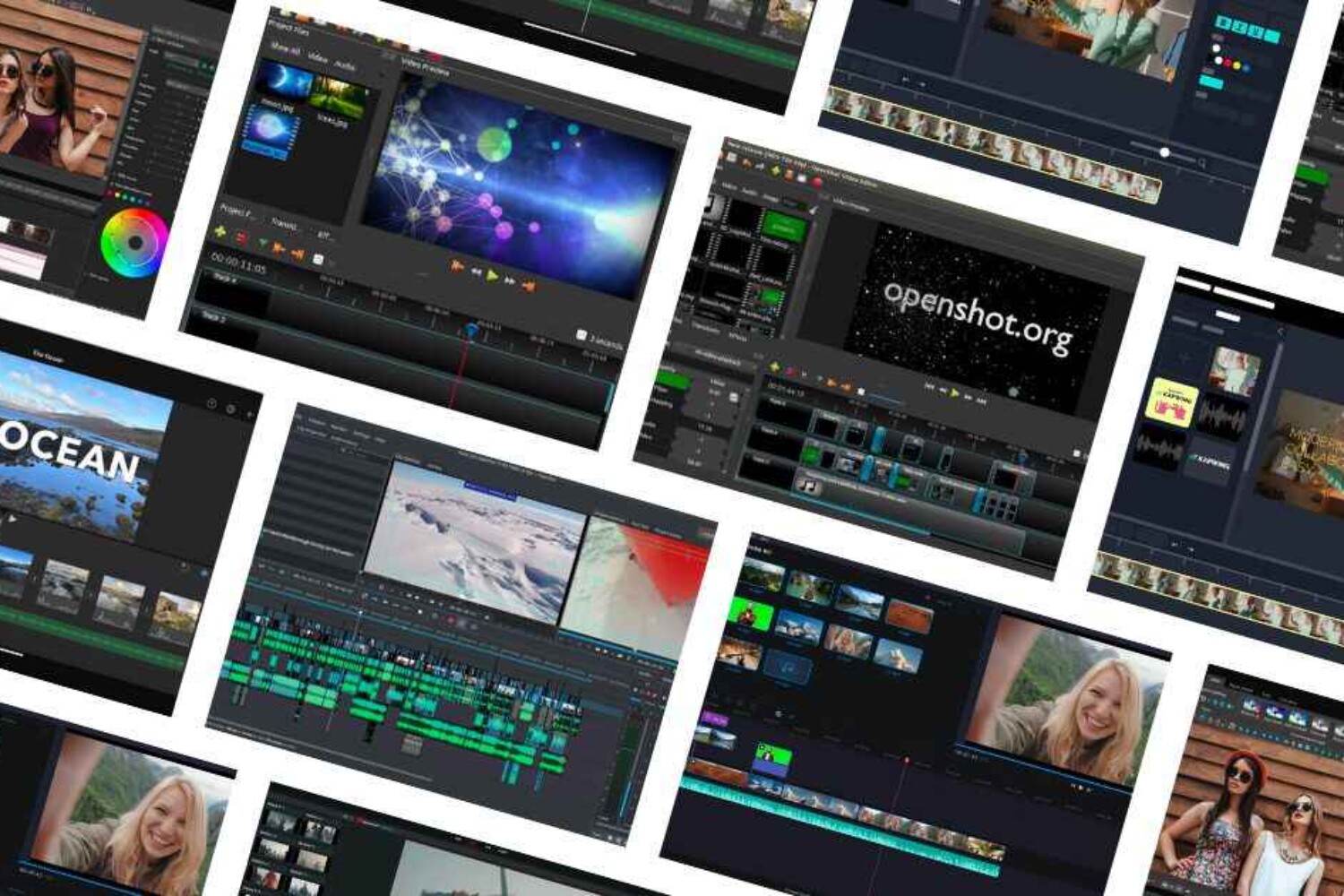
OpenShotSimple editingNoWindows, Mac, LinuxBeginner
VSDCAdvanced Windows editingNoWindowsIntermediate
OliveLightweight editingNoWindows, Mac, LinuxIntermediate
KdenliveOpen-source editingNoWindows, Mac, LinuxIntermediate
LightworksFilm editingNoWindows, Mac, LinuxAdvanced
Avid Media Composer FirstFilm studentsNoWindows, MacAdvanced
VideoPadPersonal projectsNoWindows, MacBeginner

This comparison helps users quickly choose the right video editor based on their needs and experience level.

Top 10 Free Video Editing Software Without Watermark

1. DaVinci Resolve

A professional-grade editor used by filmmakers worldwide, DaVinci Resolve combines advanced color grading, visual effects, audio post-production, and video editing in one tool. While it’s powerful, it’s also demanding on your system — but ideal for creators who want to master high-end editing techniques without paying a dime.

Best for: Intermediate to advanced users
Platform: Windows, macOS, Linux

2. Shotcut

Shotcut is a free, open-source video editor known for its wide format support and customizability. It features a clean, modular interface and supports 4K editing with native timeline support. Ideal for users who want a balance between usability and control.

Best for: Beginners and intermediates
Platform: Windows, macOS, Linux

3. HitFilm Express

Perfect for creators who want to add a splash of visual flair, HitFilm Express brings Hollywood-style visual effects to your desktop for free. It’s feature-rich, with tools for compositing, keyframing, and more. A great pick for YouTubers or gamers who love dramatic visuals.

Best for: YouTubers, VFX fans
Platform: Windows, macOS

4. OpenShot

OpenShot is designed for absolute beginners and educators who need something fast, simple, and functional. It offers unlimited layers, drag-and-drop features, basic effects, and 3D animations. A great first step into video editing with no learning stress.

Best for: Beginners and educators
Platform: Windows, macOS, Linux

5. VSDC Free Video Editor

VSDC is a Windows-only tool packed with features like motion tracking, color correction, and visual effects — all without a watermark. Despite its older UI design, it’s surprisingly capable and lets you export directly for YouTube and Instagram.

Best for: Windows users wanting pro features
Platform: Windows only

6. Olive Video Editor (Beta)

Olive is a fast and minimalist non-linear editor that focuses on performance and simplicity. Though still in beta, it’s steadily growing in popularity among creators who need a lightweight, distraction-free editing experience.

Best for: Minimalist and experimental editors
Platform: Windows, macOS, Linux

7. Kdenlive

Kdenlive is a mature, open-source video editor that supports multi-track editing, keyframe control, and a wide range of effects. Its powerful features make it a solid choice for intermediate users who prefer open-source tools.

Best for: Intermediate users and open-source enthusiasts
Platform: Windows, macOS, Linux

8. Lightworks (Free Version)

Lightworks has been used in the editing of major films like The King’s Speech and Pulp Fiction. The free version gives you access to professional tools but limits export resolution to 720p — still perfect for learning and practicing on high-end software.

Best for: Aspiring pros and film students
Platform: Windows, macOS, Linux

9. Avid Media Composer | First

Avid is the industry standard in broadcast and film production, and its free version, Media Composer | First, brings those same editing tools to beginners. It has a learning curve but offers unmatched precision for aspiring editors in serious training.

Best for: Students and future professionals
Platform: Windows, macOS

10. VideoPad Video Editor (Free for Personal Use)

VideoPad is an intuitive, no-frills editor that’s perfect for casual projects and home videos. It supports a variety of formats and has tools for effects, transitions, and audio editing. Just note that it’s only free for non-commercial use.

Best for: Hobbyists and casual creators
Platform: Windows, macOS

Minimum System Requirements for Free Video Editing Software

Before installing any video editor, make sure your computer meets the basic requirements to ensure smooth performance.

Typical requirements include:

  • Processor: Intel i5 / AMD equivalent or higher

  • RAM: Minimum 8GB (16GB recommended for advanced editing)

  • Storage: At least 20GB free space on an SSD

  • Graphics Card: Dedicated GPU recommended for heavy tools like DaVinci Resolve

  • Operating System: Windows 10/11 or macOS latest version

If your system is less powerful, lightweight editors such as OpenShot or VideoPad may perform better.

Pros and Cons of Free Video Editing Software

Pros

  • Completely free to use

  • Many tools export videos without watermark

  • Great learning platform for beginners and creators

  • Some offer professional-level editing tools

Cons

  • Certain advanced features may be locked in paid versions

  • Some software requires powerful hardware

  • Limited official customer support compared to paid tools

Bonus Tips for Choosing the Right Editor

Before downloading software, ask yourself:

What kind of content are you creating?
Can your computer handle resource-heavy editors?
  Do you plan to grow into professional work later?
Do you need beginner tutorials and community support?

Starting simple is often the best path  and upgrading later is easier when you’ve built a strong foundation.

Many creators begin with free tools and later collaborate with agencies that provide Demo Video Production service to turn concepts into professional marketing videos.

Where to Download These Free Video Editors

You can download the video editing tools mentioned above from their official websites:

  • DaVinci Resolve – Blackmagic Design official website

  • Shotcut – shotcut.org

  • HitFilm Express – fxhome.com

  • OpenShot – openshot.org

  • Kdenlive – kdenlive.org

  • Lightworks – lwks.com

  • Avid Media Composer First – avid.com

  • VideoPad – nchsoftware.com

Always download software from official websites to ensure safety and the latest updates.

Need Professional Results?

Try Dotmotions – Premium Video Production Services in the UAE

Free video editors are great for DIY projects, but when quality and impact matter — especially for brands, events, or campaigns — professional production is key.

About Dotmotions

Dotmotions is a top-tier video production agency based in Dubai, UAE, serving clients across the Middle East with visually stunning, story-driven content. The company is known for delivering some of the Best Video Production Services in Dubai for brands, marketing campaigns, and corporate storytelling.

 Services Include:

Corporate videos and brand storytelling
Commercials and social media campaigns
Event coverage and product launches
Animated explainers and motion graphics
Aerial drone videography
Demo Video Production service for product concepts and brand presentations

Why Choose Dotmotions?

  • In-house creative team with film-industry experience

  • End-to-end production from scripting to final delivery

  • Modern cinematic equipment and creative storytelling

  • Trusted by leading regional and international brands

Among the many Video Production Companies In UAE, Dotmotions stands out for its innovative visuals, strategic storytelling, and ability to create engaging content that drives results.

Whether you’re launching a brand or filming an event, Dotmotions transforms ideas into powerful video content that connects and converts.

Frequently Asked Questions (FAQs)

Is free video editing software really watermark-free?

Yes. Many editors like DaVinci Resolve, Shotcut, and OpenShot allow exporting videos without a watermark in their free versions.

What is the best free video editing software for beginners?

OpenShot and VideoPad are ideal for beginners due to their simple interfaces and drag-and-drop editing tools.

Which free video editor is best for YouTube creators?

DaVinci Resolve and HitFilm Express are popular choices among YouTubers because they offer advanced editing tools and visual effects.

Can free video editing software support 4K video?

Yes. Tools such as DaVinci Resolve, Shotcut, and Kdenlive support 4K editing depending on your computer’s hardware capabilities.

When should you hire professional video production services?

If you need cinematic visuals, brand storytelling, or large-scale marketing videos, professional agencies offering Best Video Production Services in Dubai can deliver higher-quality results compared to DIY editing.

Related Video Production Resources

You may also find these topics helpful:

  • How to Choose the Right Video Production Company

  • Benefits of Professional Corporate Videos for Businesses

  • Understanding Demo Video Production service for product marketing

  • Trends in Video Marketing for Businesses in the UAE

Conclusion

You don’t need to spend a fortune to start editing videos — the software in this list proves that. From DaVinci Resolve’s professional capabilities to OpenShot’s beginner-friendly design, there’s an editor here for everyone.

But if your vision demands professional production, cinematic visuals, and a polished final product, consider working with Dotmotions  one of the trusted Video Production Companies In UAE offering Best Video Production Services in Dubai, including professional Demo Video Production service for brands and marketing campaigns.

Ready to start editing? Download one of the free editors above.

Need professional results? Reach out to Dotmotions and bring your story to life.
Aerial Photography Definition AP Human Geography

Aerial Photography Definition AP Human Geography – Complete Guide with Examples

Aerial photography is a vital concept in the AP Human Geography curriculum. It helps students understand how geographers observe, record, and interpret patterns on Earth’s surface. This article offers a complete breakdown of the aerial photography definition in AP Human Geography, its uses, real-world examples, and relevance on the AP exam.

📌 What Is Aerial Photography? (AP Human Geography Definition)

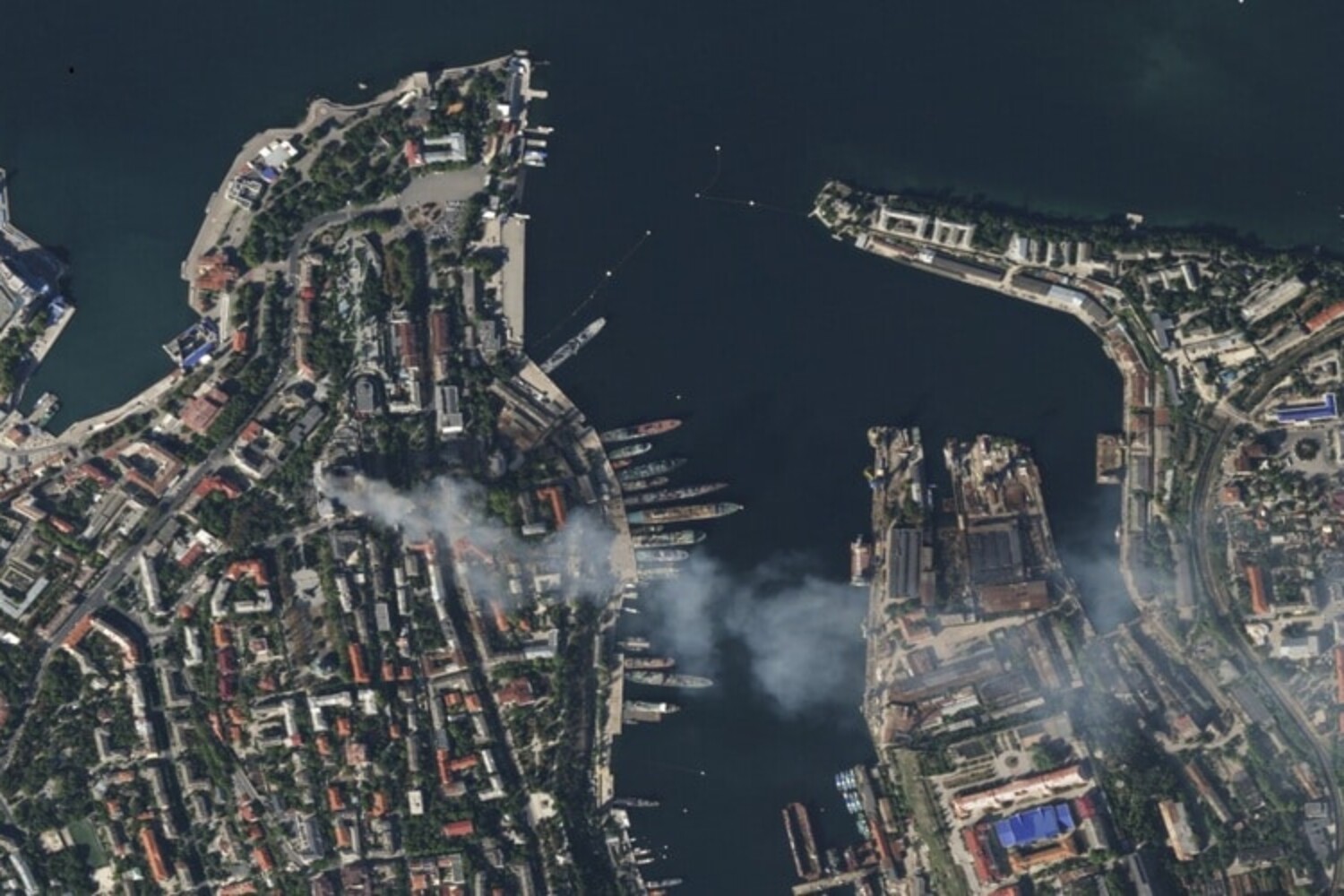
Aerial photography in AP Human Geography is defined as the process of capturing images of Earth’s surface from above—typically using drones, aircraft, or satellites—to study and analyze spatial patterns, geographic features, and human-environment interactions.

These images provide a bird’s-eye view of the landscape, allowing geographers to examine urban areas, farmland, forests, coastlines, and more. Aerial photography is considered a geospatial technology, alongside GIS (Geographic Information Systems) and remote sensing.

🧭 Why Aerial Photography Is Important in AP Human Geography

In the study of human geography, aerial imagery serves multiple purposes:

  • Spatial analysis of urban and rural land use
  • Observation of cultural landscapes and environmental modifications
  • Tracking changes over time, such as deforestation or urban sprawl
  • Supporting geographic data collection in field studies and research

🔍 Aerial Photography Helps Students:

  • Visualize abstract geographic concepts in real-world settings
  • Analyze patterns of settlement, transportation, and agriculture
  • Understand site and situation (location characteristics)
  • Interpret human impact on the physical environment

🛠️ Types of Aerial Photography Used in Geography

Type

Description

Common Use in APHG

Vertical PhotographyCaptured directly overheadMapping, GIS layers, land use classification
Oblique PhotographyCaptured at an angleShows elevation, buildings, and topography
Satellite ImageryTaken from satellites orbiting EarthLarge-scale geographic monitoring and change detection

Each type serves a unique purpose in geographic interpretation and spatial analysis—both essential skills in AP Human Geography.

🌍 Real-Life Examples in AP Human Geography Context

To reinforce the aerial photography definition in AP Human Geography, let’s look at examples where aerial images are commonly used:

  1. Urban Sprawl Analysis

Aerial photography shows suburban expansion over time—helping students understand urban models like the Concentric Zone Model or Sector Model.

  1. Agricultural Land Use

Images highlight crop rotation, irrigation systems, and subsistence vs. commercial farming zones. Students can apply this to Von Thünen’s Model of agricultural land use.

  1. Deforestation Tracking

Satellite photos capture forest loss in areas like the Amazon or Southeast Asia, illustrating human-environment interaction and sustainability issues.

  1. Disaster Impact Assessment

Before-and-after aerial images help visualize damage from hurricanes, wildfires, and floods—important in studying how societies respond to environmental hazards.

🎓 Aerial Photography and the AP Human Geography Exam

How It Appears on the APHG Exam:

  • Multiple-Choice Questions (MCQs): Analyze aerial or satellite images to identify land use or population patterns
  • Free-Response Questions (FRQs): Use aerial data to support written geographic analysis

📘 AP Exam Tip:

When analyzing aerial images, observe:

  • Land use zones (residential, industrial, agricultural)
  • Transportation networks
  • Human modification of the landscape
  • Environmental indicators (green space, water bodies, erosion)

🔗 Related Geographic Terms and Concepts

Understanding Product photography with aerial drone, also strengthens your grasp of these key AP Human Geography terms:

Term

Relation to Aerial Photography

Remote SensingGathering geographic data from a distance (aerial photos are a type)
GIS (Geographic Information Systems)Used to store, layer, and analyze spatial data from aerial imagery
Site and SituationAerial images help assess both physical and relational location characteristics
Cultural LandscapeHuman-imprinted patterns visible in aerial images

These terms often appear alongside aerial photography in APHG questions and course modules.

📝 FAQs

What is aerial photography in AP Human Geography?

Aerial photography is the practice of capturing images of Earth’s surface from above (e.g., from drones, planes, or satellites) to analyze spatial and geographic patterns. It is commonly used in human geography to study land use, population density, and environmental changes.

How is aerial photography used in AP Human Geography?

It is used to examine land use, analyze urban expansion, track environmental changes, and support geographic data interpretation. It plays a key role in spatial analysis and is frequently tested on the APHG exam.

What is the difference between aerial photography and satellite imagery?

Aerial photography is typically taken from lower altitudes using planes or drones and offers detailed local views. Satellite imagery is captured from high altitudes in orbit and covers broader geographic areas.

Can aerial photography appear on the AP Human Geography exam?

Yes. Aerial photography is featured in both multiple-choice and free-response questions, often requiring students to interpret spatial data and describe geographic processes.

📚 Conclusion: Why Every AP Human Geography Student Should Understand Aerial Photography

Mastering the aerial photography definition in AP Human Geography is not just about memorizing a term—it’s about building a critical geographic skill. Aerial photography empowers students to interpret patterns, recognize spatial relationships, and apply geographic models to real-world imagery.

By learning how to analyze aerial photographs, you’ll gain a deeper understanding of how human activities shape the planet—one of the core goals of the AP Human Geography course.

Video-Production-Timeline

Video Production Timeline Template: From Concept to Final Cut

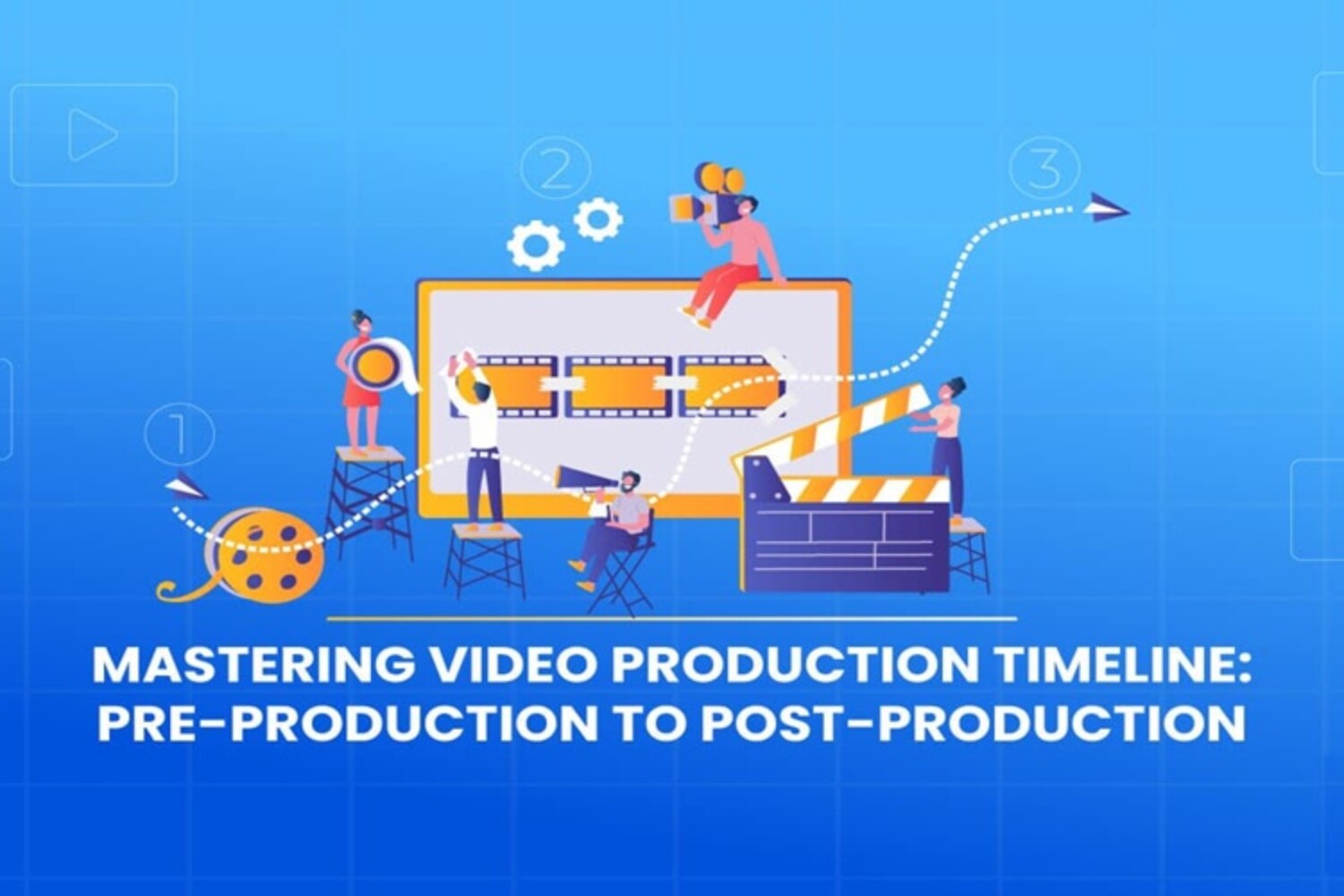
Producing a video—whether it’s a video marketing campaign, short film, or corporate training—requires meticulous planning and coordination. A video production timeline template serves as the backbone of this process, ensuring every stage from initial idea to final cut runs smoothly.

In this guide, you’ll get a step-by-step breakdown of each production phase, an easy-to-follow timeline table, and practical tips to optimize your workflow.

Why a Video Production Timeline Template Is Essential

Video production is a complex endeavor involving multiple stages and stakeholders. Without a clear timeline, projects risk delays, budget issues, and communication breakdowns.

Benefits of using a timeline template:

  • Clear visibility: Track deadlines and responsibilities

  • Efficient collaboration: Keep teams aligned

  • Resource management: Optimize budgets and equipment use

  • Risk reduction: Anticipate and mitigate potential delays

Detailed Video Production Timeline Template

Below is a comprehensive timeline template covering Pre-Production, Production, and Post-Production phases. This framework can be customized for different project sizes and complexities.

PhaseTaskDescriptionTypical DurationResponsible Parties
Pre-ProductionConcept DevelopmentBrainstorm ideas, define goals, create creative brief1–2 weeksProducer, Creative Director
ScriptwritingWrite and revise script1–3 weeksWriter, Director
StoryboardingVisualize scenes, plan shots1 weekStoryboard Artist, Director
Budgeting & SchedulingEstimate costs, book locations/equipment1 weekProducer, Production Manager
Casting & Crew HiringSelect actors and key crew1–2 weeksCasting Director, Producer
ProductionSetup & RehearsalsSet equipment, run rehearsals1–2 daysDirector, Crew
ShootingFilm all scenes according to scheduleVaries (days to weeks)Director, Camera Crew
On-Set ManagementOversee operations, quality controlEntire shoot durationProducer, Director
Post-ProductionFootage Review & SelectionReview footage, choose best takes1 weekEditor, Director
EditingAssemble rough cut, add effects, color grade2–4 weeksEditor, Post-Prod Supervisor
Feedback & RevisionsReview cuts, implement changes1–2 weeksDirector, Clients
Export & DeliveryFinal render and distribution1–2 daysEditor, Producer

1. Pre-Production Phase: The Blueprint of Your Video

Pre-production is the foundation of your project. Taking the time here ensures smooth execution later.

Concept Development

  • Hold brainstorming sessions with stakeholders

  • Define the video’s goal (brand awareness, education, entertainment)

  • Identify target audience demographics and preferences

  • Document objectives in a creative brief

Scriptwriting

  • Write a detailed script reflecting the video’s tone and message

  • Circulate drafts for feedback and make revisions

  • Finalize script and prepare for storyboard phase

Storyboarding

  • Create scene-by-scene visuals to represent the script

  • Include notes on camera angles, lighting, and movement

  • Use storyboards to align vision among creative teams

Budgeting & Scheduling

  • List all expenses including talent fees, equipment rental, locations, permits, and post-production costs

  • Develop a calendar with milestones and deadlines

  • Book locations and equipment early to avoid conflicts

Casting & Crew Hiring

  • Hold auditions or scout talent appropriate for the roles

  • Hire experienced crew members critical for technical quality

  • Clearly communicate roles and expectations

2. Production Phase: Capturing the Vision

This phase involves executing your plan on set or location.

Setup & Rehearsals

  • Arrange lighting, sound, and cameras

  • Conduct run-throughs with cast and crew to troubleshoot issues

  • Verify equipment functionality and backup systems

Shooting

  • Follow your shot list and storyboard strictly

  • Manage time carefully to stay on schedule

  • Adapt to any unforeseen issues (weather, technical problems) while maintaining quality

On-Set Management

  • Keep detailed logs of each take for easier post-production referencing

  • Monitor performance and technical details to avoid costly reshoots

  • Ensure safety protocols are followed

3. Post-Production Phase: Shaping the Final Product

After shooting, post-production brings your video to life.

Footage Review & Selection

  • Watch all footage to select the best takes

  • Organize clips systematically for editing

Editing

  • Build the rough cut focusing on pacing and narrative flow

  • Add effects, transitions, and color corrections

  • Integrate audio elements like music, voiceover, and sound effects

Feedback & Revisions

  • Present cut versions to stakeholders

  • Collect feedback and make precise adjustments

  • Repeat until final approval is granted

Export & Delivery

  • Render video files in appropriate formats/resolutions

  • Deliver to clients or upload to designated platforms

  • Archive project files for future use

Additional Tips for Using Your Video Production Timeline Template

  • Use project management software: Tools like Asana, Monday.com, or StudioBinder offer built-in timeline and task tracking features.

  • Build in buffer time: Always allow 10-20% extra time in your schedule to handle unforeseen challenges.

  • Communicate regularly: Frequent check-ins keep everyone informed and aligned.

  • Customize for project type: Short social videos need shorter timelines, while feature films require extensive pre- and post-production periods.

Frequently Asked Questions (FAQs)

What is a video production timeline template?

A video production timeline template is a detailed schedule that outlines every task and deadline involved in producing a video, from initial concept development to the final delivery.

How long does video production typically take?

Production timelines vary widely, from a few days for short social videos to several months for documentaries or feature films, depending on complexity and scope.

What are the key phases of video production?

The three main phases are Pre-Production (planning and preparation), Production (filming), and Post-Production (editing and finalizing the video).

Can I use the same timeline template for different video types?

Yes, but it’s best to tailor the timeline to fit the specific needs and scale of your project for optimal results.

What tools help manage a video production timeline?

Popular tools include Google Sheets, Trello, Asana, Monday.com, and specialized software like StudioBinder designed for video production management.

Conclusion

A well-crafted video production timeline template is indispensable for any successful video project. It ensures structured planning, smooth execution, and high-quality final output. By implementing this comprehensive timeline—from concept to final cut—you’ll enhance productivity, reduce risks, and deliver videos that resonate with your audience.

Ready to streamline your next video production? Start building your timeline today and watch your creative vision come to life without a hitch!

Transforming Corporate Narratives: The Power of Professional Video Production in Dubai

Transforming Corporate Narratives: The Power of Professional Video Production in Dubai

In the glittering metropolis of Dubai, businesses are harnessing the transformative power of professional video production to craft compelling narratives that resonate with global audiences. Explore how this trend is reshaping corporate communication strategies and driving unprecedented engagement.

Read more

Contact

Get Connected.

We welcome you to contact us for more information
about any of our products or services.


    CALL : +971555845299

    One JLT, 2nd Floor – Jumeirah Lake Towers – Dubai

    Copyright © 2025 DOT Motions. All Rights Reserved. | Privacy Policy

    Contact
    Get Inquiry
    close slider

      GET IN TOUCH